Grammarly
Are you feeling overwhelmed or unsure about an assessment? Grammarly can help by providing writing feedback as you work.
What is Grammarly?
The Curtin version of Grammarly is an artificial intelligence (AI) tool designed to help improve your written communication. It automatically checks your:
- spelling
- grammar
- punctuation
- clarity
- tone
Grammarly also makes suggestions to enhance your writing, with the goal of helping you communicate more clearly and make the right impression on your audience.
Grammarly Authorship allows you to track how your document is created over time. With your permission, it records each change made to your document and identifies your own writing, as well as any assistance from AI tools. This enables greater transparency in your academic work.
Watch this five-minute video to learn how to use Grammarly Authorship in your assessments.
How do I join Curtin’s Grammarly subscription?
You can join the Curtin Grammarly subscription using this link. When prompted, sign in with your Curtin credentials (the same details you use to log in to OASIS or the Staff Portal).
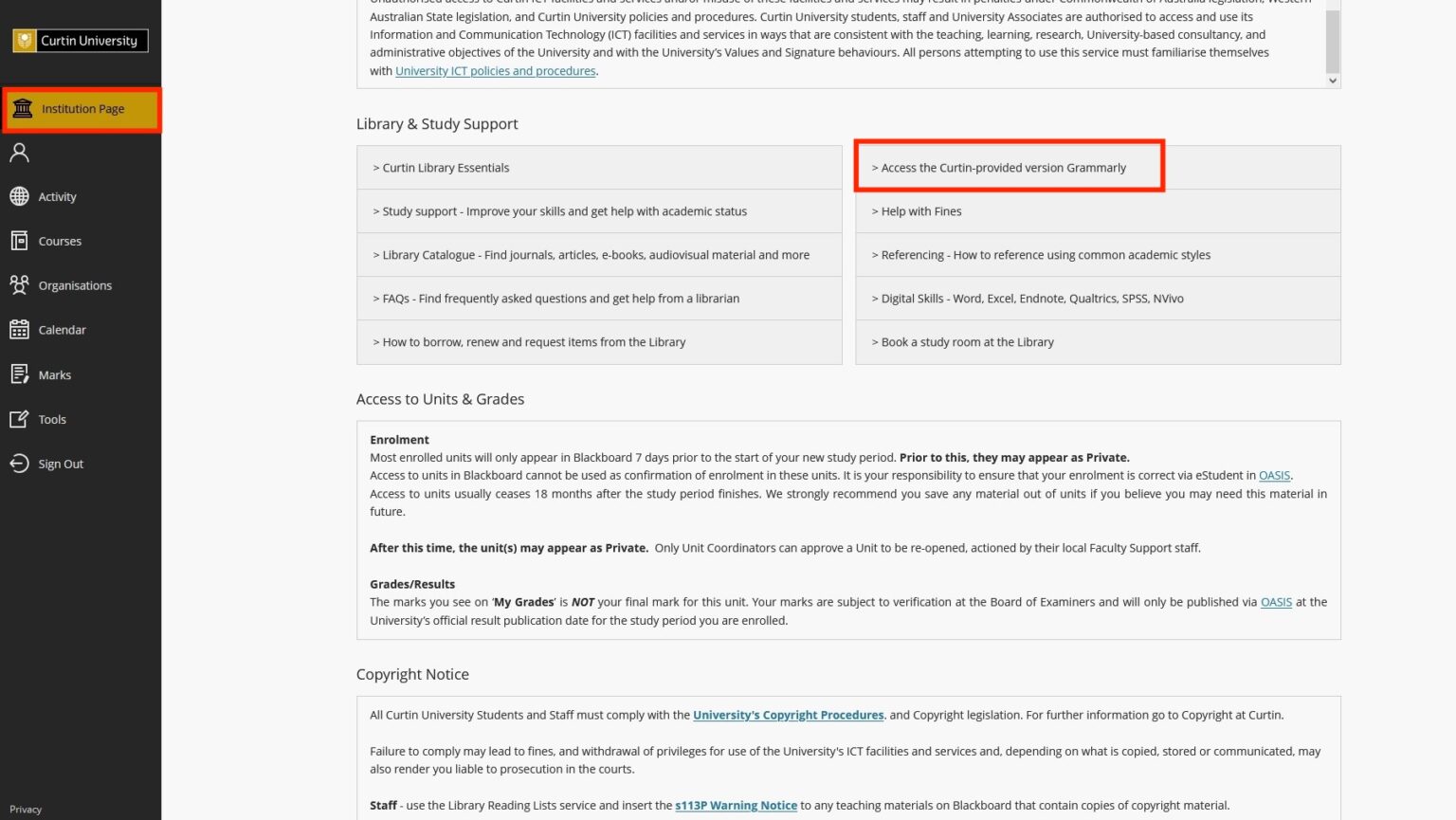
Students can also find the link to join Curtin’s Grammarly subscription via Blackboard.
- Go to the Institution Page
- Scroll down to Library & Study Support
- Click the link to access Curtin’s Grammarly
The Curtin-provided version is the ONLY version of Grammarly permitted for use at Curtin.
More support
If you’re looking for further help, you can connect with a Peer Academic Mentor, build your skills through a range of workshops or online guides, or contact the Library. You can also explore the Curtin Library Gen-AI Guide and the Prompt Library, which provides resources for using generative AI to give feedback on academic writing.