Changes to Turnitin
Changes as of January 2026
Turnitin, the application that Curtin uses for text assessment submissions, has recently undergone some changes.
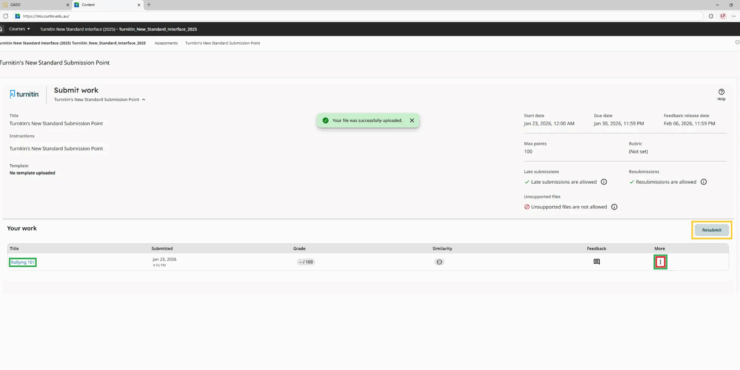
Changes to the submission process are detailed below. One major difference to note, is that digital receipts have been moved; you will now be able to download them from the assignment dashboard.
Assessment submission point
After you click on the Turnitin submission point, you may notice a delay while the LTI Tool loads.
When submitting an assessment in Turnitin, click on ‘View Details’ or ‘Browse Files’.
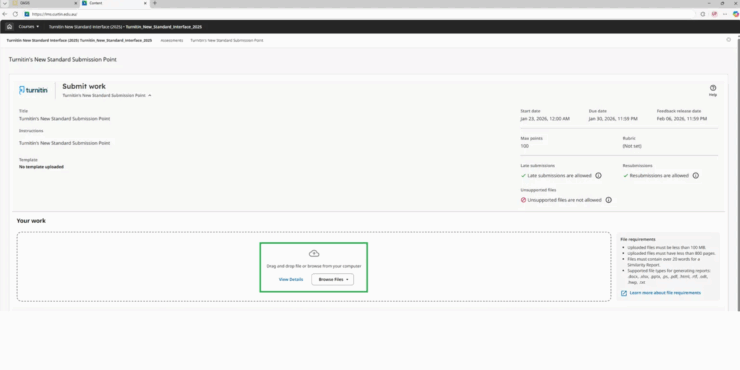
In this example we clicked on ‘View Details’ – then click ‘Browse Files’:
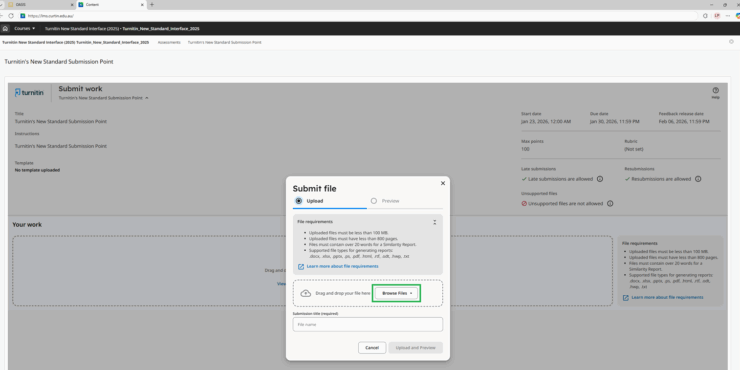
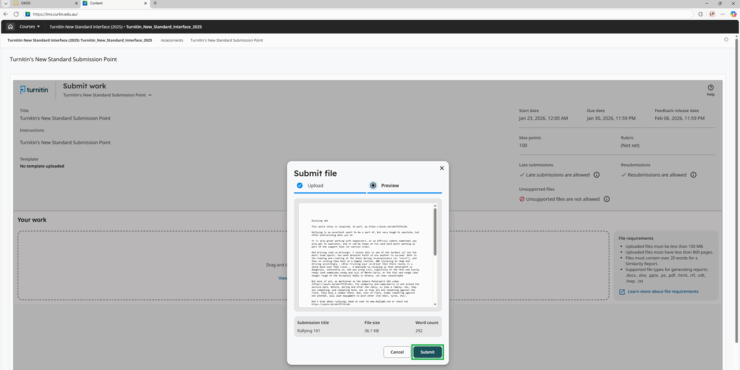
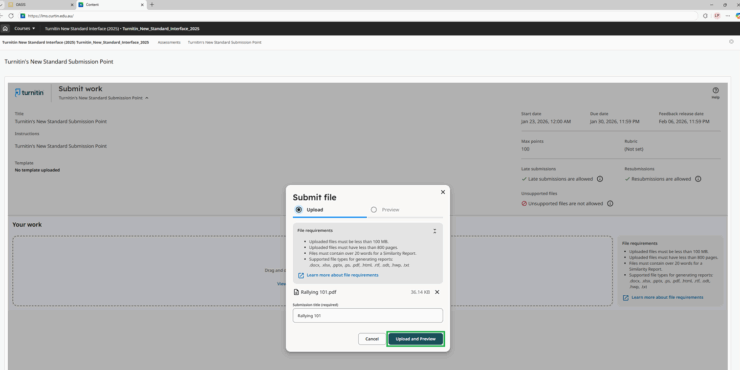
Once you have located the file you would like to upload, click on ‘Upload and Preview’. Your ‘Submission Title’ should auto-populate from the filename. However, this field is still editable.
And like before, you still confirm your submission, but now you will click on ‘Submit to Turnitin’.